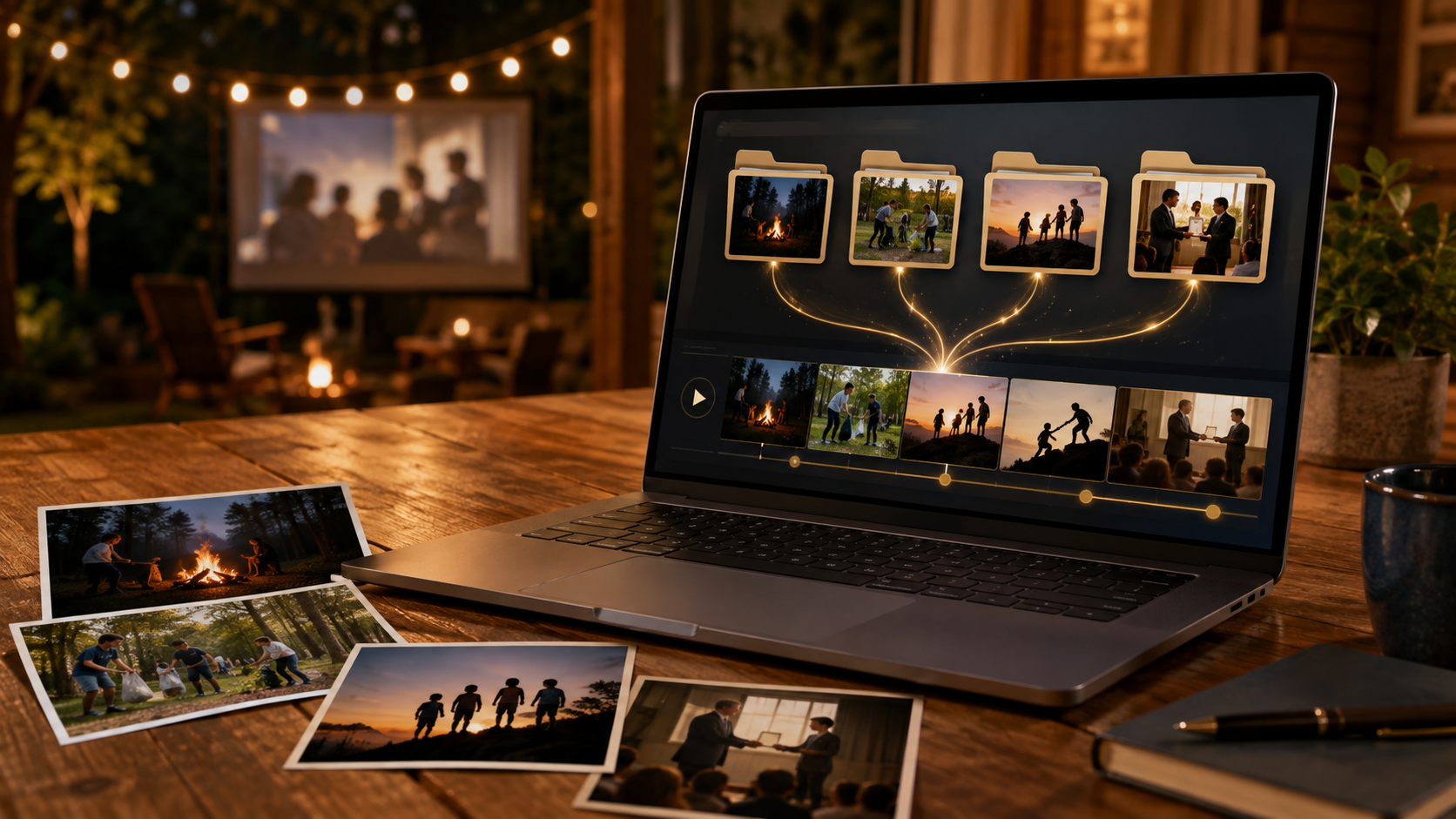
When my oldest son, Adam, turned 28, I wanted something personal playing on the television during his backyard birthday party. I had a folder containing about 130 photographs from different parts of his life, but I did not have a finished slideshow—or much interest in manually arranging every image in video-editing software.
I asked ChatGPT and Codex to help.
Together, we worked out a simple plan: a ten-minute video in mixed order, with no music or titles. Every photograph would remain completely visible, including vertical phone pictures, while moving gently in and out in the style of a Ken Burns documentary. A softly blurred version of each image filled the television screen behind the original, avoiding awkward black bars without cropping anyone out.
Codex assembled the photographs, excluded several files that turned out to be videos, created the transitions, rendered the finished video, and checked that it was the correct length and television-friendly format. I uploaded it privately to YouTube and played it at the party.
That experience made me realize how useful the same process could be for Boy Scout Troops—especially for Courts of Honor and Eagle Courts of Honor.
Telling the Story of a Scout
An Eagle Court is more than a recognition ceremony. It is the conclusion of a story that may have started years earlier with an oversized uniform, a first campout, or a nervous crossover ceremony.
Families often have photographs of:
- Cub Scout and crossover years
- Early campouts and hikes
- Summer camp
- High-adventure trips
- Rank advancements
- Leadership roles
- Service projects
- The Eagle project
- Friends, family members, and adult leaders
- The final board of review or Eagle presentation
The hard part is rarely finding meaningful photographs. The hard part is turning hundreds of scattered pictures into something polished enough to show at a ceremony.
AI can reduce much of that work. It does not replace the family’s judgment or memories. Instead, it handles repetitive production work while the family decides what story to tell.
Start With Folders
The workflow can be surprisingly simple on either Windows or a Macintosh.
Create one main folder for the project, such as Eagle Court Photos. Inside it, create subfolders that describe what their photographs contain:
Eagle Court Photos/
├── Cub Scouts/
├── Troop 212 Campouts/
├── Summer Camp/
├── High Adventure/
├── Leadership/
├── Eagle Project/
└── Family and Friends/
Then copy the appropriate photographs into each subfolder.
This is much easier than renaming hundreds of files from names such as IMG_4821.JPG. The original filenames can remain untouched. The folder tells ChatGPT or Codex what each group represents.
Those folder names can also become the video’s structure. Codex could show all the photographs from Cub Scouts, followed by Troop 212 Campouts, then Leadership and Eagle Project. If desired, it could place a short title card between sections using the folder name.
Families who want a chronological video can add numbers to the folder names:
01 - Cub Scouts
02 - Joining Troop 212
03 - First Class Years
04 - High Adventure
05 - Leadership
06 - Eagle Project
07 - Eagle Scout
The numbers make the intended order clear without requiring changes to individual photographs.
Common formats such as JPEG, PNG, and iPhone HEIC photographs can usually be handled. If the folders contain short video clips, decide whether to include them or use still photographs only. It also helps to remove obviously unwanted images, screenshots, and accidental duplicates before beginning.
Describe What You Want
You do not need to know video-editing terminology. You can describe the result in ordinary language:
Create an eight-minute slideshow for an Eagle Court of Honor. The photographs are organized into themed subfolders. Use the folder names to organize the video and create section titles. Keep every photograph completely visible without cropping. Use gentle movement and soft transitions. Begin with the Scout’s name and “Eagle Court of Honor,” then finish with a family message. Produce a 1080p video that will play on a television or projector.
ChatGPT can help refine the concept, organize the story, write captions, suggest an opening message, and develop a closing tribute.
Codex can go further when the main photo folder is selected as its workspace. In my project, it inspected the actual files, identified their formats, prepared the images, used local video tools to render the slideshow, and verified the finished file. OpenAI’s documentation describes this general ability to use a local environment and command-line tools for multistep work. (Official OpenAI documentation)
The important point is that parents do not have to write the commands or understand the underlying software. They can concentrate on the creative choices.
Opening Cards, Section Titles, and Photo Captions
My birthday video did not need titles, but an Eagle Court video probably will.
An opening card might include:
Adam Smith
Eagle Scout Court of Honor
Troop 212
September 12, 2026
The themed subfolders can supply section titles automatically:
- “Cub Scout Beginnings”
- “Adventures with Troop 212”
- “Summer Camp”
- “Leadership”
- “The Eagle Project”
- “Eagle Scout”
This provides structure without placing words over every photograph.
A few individual photographs may still need captions. For those, a family can provide a simple text file containing the folder, filename, and desired wording:
Troop 212 Campouts/IMG_1024.jpg — First campout with Troop 212
Leadership/IMG_2481.jpg — Elected Senior Patrol Leader
Eagle Project/IMG_5190.jpg — Leading the park restoration project
Codex can use that list when adding selected captions. There is no need to rename the original photos.
Captions should be used selectively. A title on every photograph can become distracting, while a few well-placed descriptions help the audience understand important moments. AI can shorten long descriptions, correct dates, and keep the wording consistent.
Choices Worth Making Up Front
Before rendering the final version, decide:
- How long should the video be?
- Should the sections be chronological or thematic?
- Should photographs within each folder be chronological or mixed?
- Should every image remain fully visible?
- Should folder names appear as section titles?
- Should there be an opening card or closing message?
- Do any individual photographs need captions?
- Should the video have music, natural audio, or no sound?
- Will it play once or loop continuously?
- Will it be shown on a television, projector, laptop, or online?
Music deserves special attention. If music is used, make sure the family or troop has permission to use it. A silent slideshow can work well before a ceremony begins, while music may be appropriate during a dedicated presentation.
For television and projector use, a standard 16:9, 1080p MP4 is a safe target. Always test the finished file on the actual equipment before the event. I also recommend keeping an offline copy on a USB drive or laptop rather than depending entirely on an internet connection.
Review Is Still a Family Job
AI can assemble a video quickly, but it does not know which photograph will make a grandparent smile or which inside joke matters to the patrol.
Watch the first version and request changes:
- Move a favorite folder closer to the end.
- Change the order of two sections.
- Remove an unflattering or duplicate image.
- Slow down the Eagle project section.
- Correct a name or date.
- Make titles larger for a projector.
- Replace a photograph with a higher-resolution copy.
- Shorten the overall running time.
Because the photographs remain organized in folders, revisions are easy. A family can add another image to Eagle Project, remove one from Summer Camp, or create a new Philmont folder and ask Codex to render the video again.
This conversational revision process is one of the greatest advantages. Instead of learning a complicated editing program for a single ceremony, parents can describe what needs to change.
Protecting Scout Privacy
Families should confirm that the images are appropriate to display and don’t contain any personal information.
If the video is uploaded to YouTube or another service, choose the access settings deliberately and verify them before sharing the link. A local copy is often the best choice for the ceremony itself.
AI makes the mechanical part of video production much easier, but adults remain responsible for selecting appropriate content and deciding where it is shared.
A New Tool for Troop Traditions
Courts of Honor are built around recognition, memory, and community. A thoughtfully made video can show younger Scouts what lies ahead, remind older Scouts how far they have come, and give families a keepsake that lasts beyond the ceremony.
With ChatGPT helping shape the story and Codex helping organize the folders and assemble the actual files, creating that video no longer requires weeks of editing experience. It can begin with something every Scout family already has: folders full of photographs and a story worth telling.